Hey,
It’s Shivam here.
This week, we’ll be talking about some familiar things, and some unfamiliar - either of which seeks to benefit you.
- Access S3 bucket from your file explorer
- Deploy a Java server on EC2
- AWS IoT Core - what are the possibilities?
- ZeroTier — a port forwarding alternative
- Mosh - Better SSH
- Richard Davidson going to JSNation
- AWS said to watch their space - a new look is coming
Access S3 bucket from your file explorer
We have published a new article which shows how you can mount your S3 bucket in your local file system to easily access and manage files inside S3 bucket.

Access S3 bucket from your file explorer — Google Drive alternative
Deploy a Java server on EC2
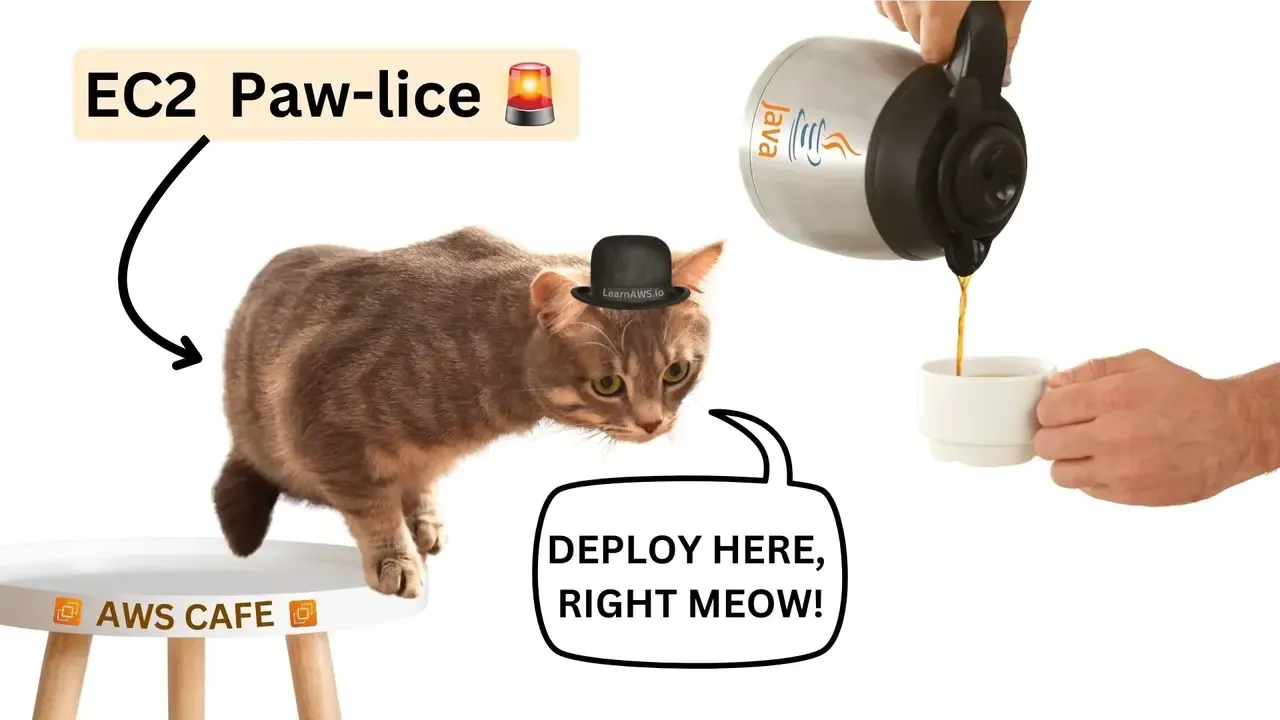
How to deploy Java Application to Amazon EC2 (Spring Boot edition)
AWS IoT Core - what are the possibilities?
IoT has been quite the fad for electronics and software engineers alike.
But have you ever asked yourself - what lies at the core of AWS IoT Core?
That’s not overthinking, that’s just the right question a smart person would ask.
AWS IoT Core is (yet another) AWS service, erm, a cloud service that connects and managing devices at a large scale, some of the pros being:
- The superpower to securely connect billions of devices: AWS IoT Core acts as a middleman, or a third wheel - among the billions of devices.
- Being the biggest messenger: AWS IoT Core can handle trillions of messages, so don’t underestimate him/her. It also acts as a postman, routing the messages to the relevant AWS services for processing and analysis. Phew!
- Device shadows: It creates virtual representations of real devices, allowing applications to interact with them even when they’re offline.
- Simplified LoRaWAN setup: If you use LoRaWAN (low range WAN) devices (low-power long-range networks), AWS IoT Core eliminates the need to manage your own network server, saving you time and effort.
- Enhanced security: With features like authentication and access controls, AWS IoT Core safeguards your solution against security vulnerabilities.
As I reiterate in almost all of my newsletter editions, most AWS services are almost free. Just make sure you check the pricing page!
So, what’s stopping you from trying out AWS IoT Core for your pet ESP32 or Raspberry Pi devices?
Keep ‘em connected, keep ‘em happy.
ZeroTier — a port forwarding alternative
What’s ZeroTier, you ask?
You see, most Internet Providers (like Jio in India) doesn’t give public IP address.
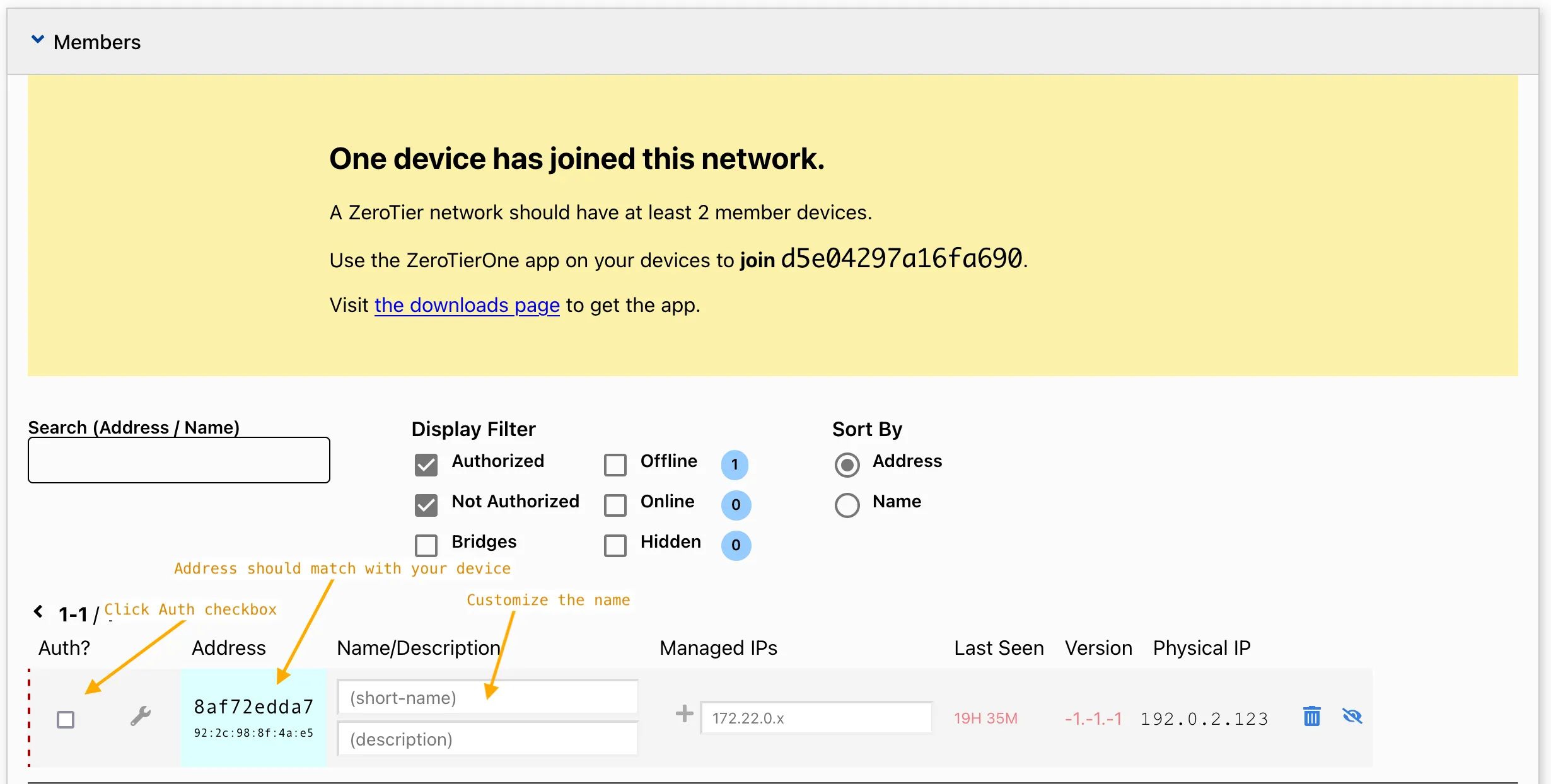
Well, ZeroTier is a software I stumbled upon when I needed to connect two of my devices on a single network, but without any port forwarding.
You need app on Android / iOS, and a CLI.
TailScale is also a good software for this (warning: a beautiful website is on TailScale).
Both are open source, so you can self-host them.
Kudos to all open-source developers everywhere on the world who keep money aside, and improve software for everyone.
If you happen to use one of their libraries, make sure to support them so that they can afford rent, food and bills just like you ;)
With port forwarding, anyone seeing my IP could have accessed my devices. Yikes!
The best part? ZeroTier has a FREEmium business model.
Here’s the tea:
- Regular port forwarding exposes your device directly to the internet, which can be risky
- ZeroTier creates a secure virtual network, allowing devices to connect to each other - as if they were on the same local network
- This eliminates the need to mess with port forwarding on your router, especially useful when dealing with double NAT situations
You can think of it as a safe tunnel between your devices, bypassing the public internet altogether.
Pure P2P magic, if you’d ask me.
Mosh - Better SSH
If you have used Amazon EC2 in the slightest, or GitHub CI/CD, you know what SSH is.
Do you ever feel like when you’re inside an SSH shell you are forcing yourself to type slow?
Now you can be fast on SSH as well using Mosh (Mobile Shell).
All you need to do is:
- Install mosh in the remote server e.g. EC2
- Install mosh in the local machine
- Use
moshinstead ofsshto log-in to your server
That’s it!
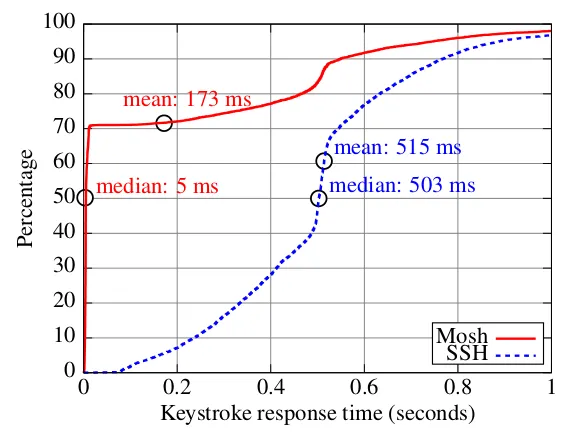
Here’s how it shines over SSH:
- Handles dropped connections and packet loss gracefully (uses UDP)
- Shows what you’re typing locally even before it reaches the server (better responsiveness)
- Resumes sessions automatically if the connection hiccups
Overall, Mosh provides a smoother and more interactive experience when dealing with spotty internet.
Richard Davison going to JSNation
Richard Davison is the same guy at AWS who created LLRT, the low latency runtime for AWS and beyond.
If you didn’t know, now you do :)
Why am I telling you this?
It’s because he’s going to speak at one of the most prestigious events of the year - the JSNation!
Go check out the original post on LinkedIn.

By next week, we might just be able to send you the talk link ;)
AWS said to watch their space - a new look is coming
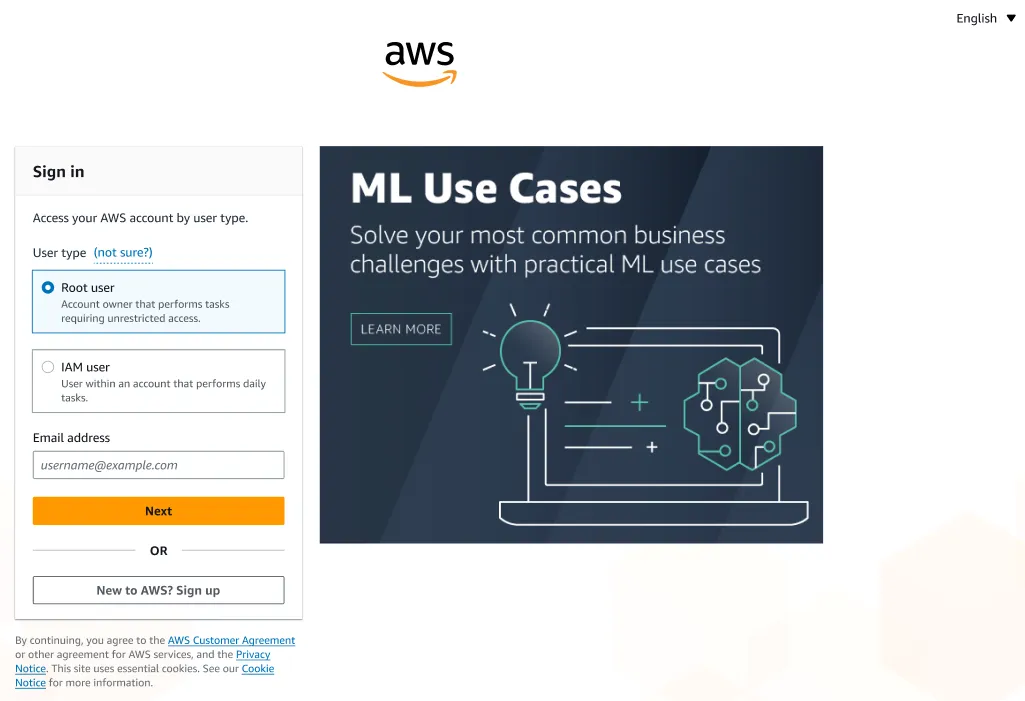
If you aren’t already tired by looking at Google’s new sign-in look, you might now be - or maybe not.
Just like the page to sign in to your Google Account looks a little different but still works the same way: AWS sure got some changes going on.
This is what the current UI looks like (obviously you knew that):
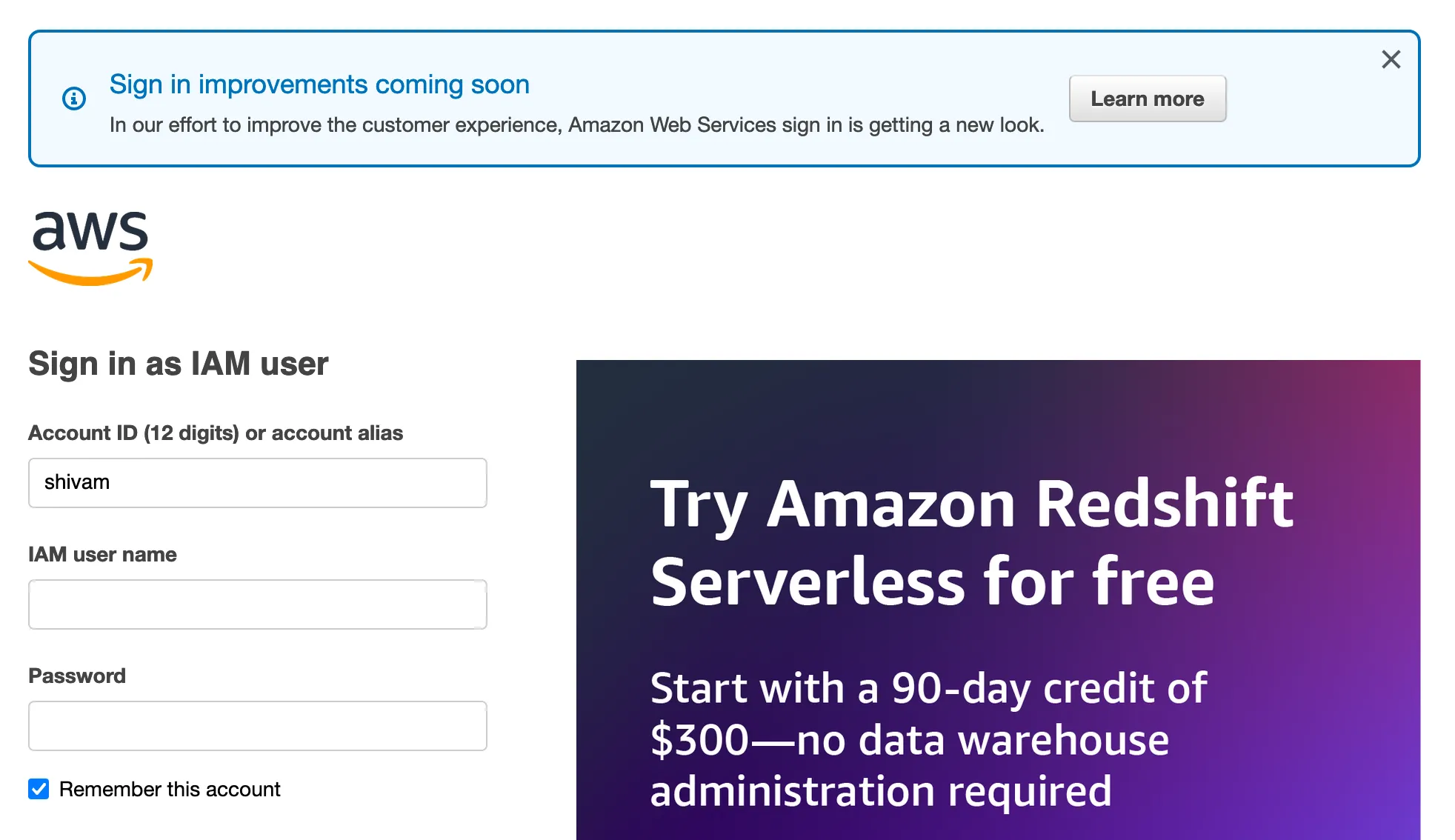
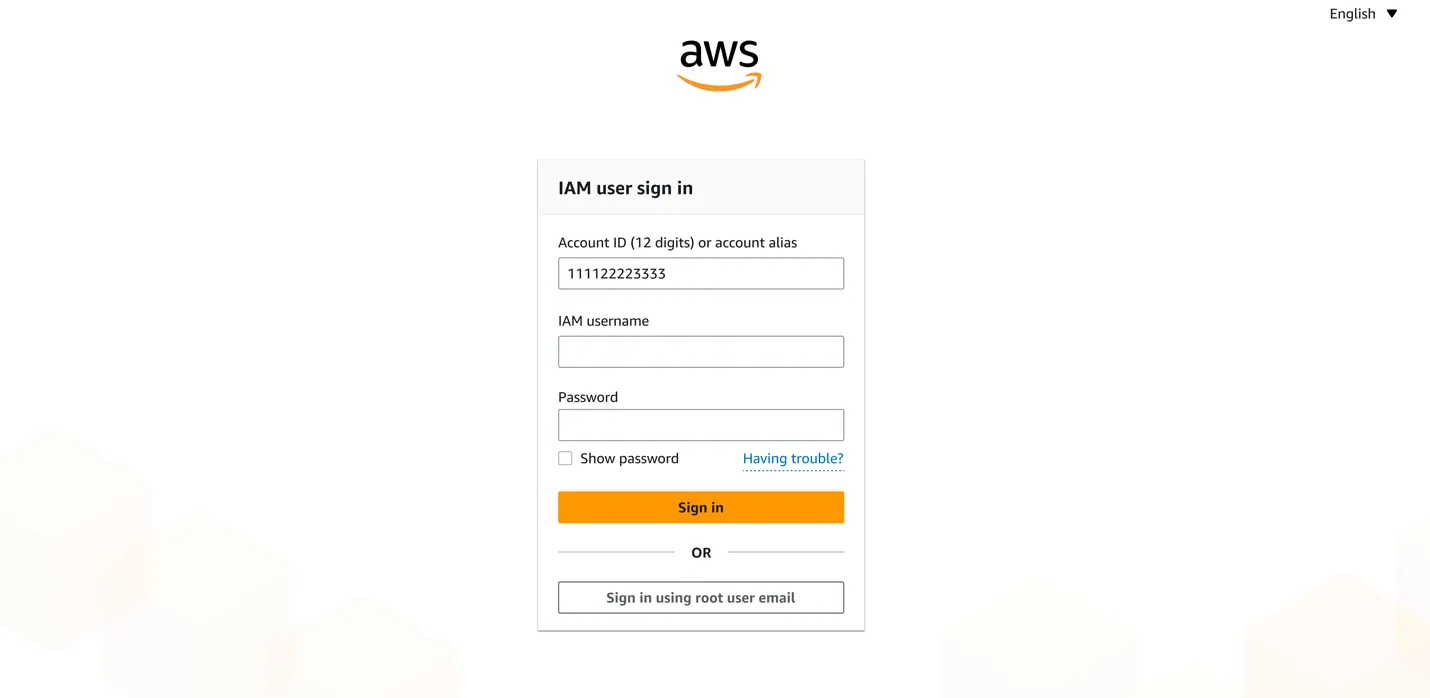
This is what the new UI being rolled out is going to look like:
The new sign-in page has a better layout for all screen types, which includes large and wide screens.
The sign-in page adjusts to your screen’s size.
That’s a wrap!
I hope you enjoyed this week’s newsletter.
If you have any feedback or news, share it with me and I might include it in the next newsletter.